
Quick summary (30 sec)
Google, social media and brand-design services with a fixed price and delivery time. Order, pay, then follow the work in a private room until you accept the delivery.
What is it?
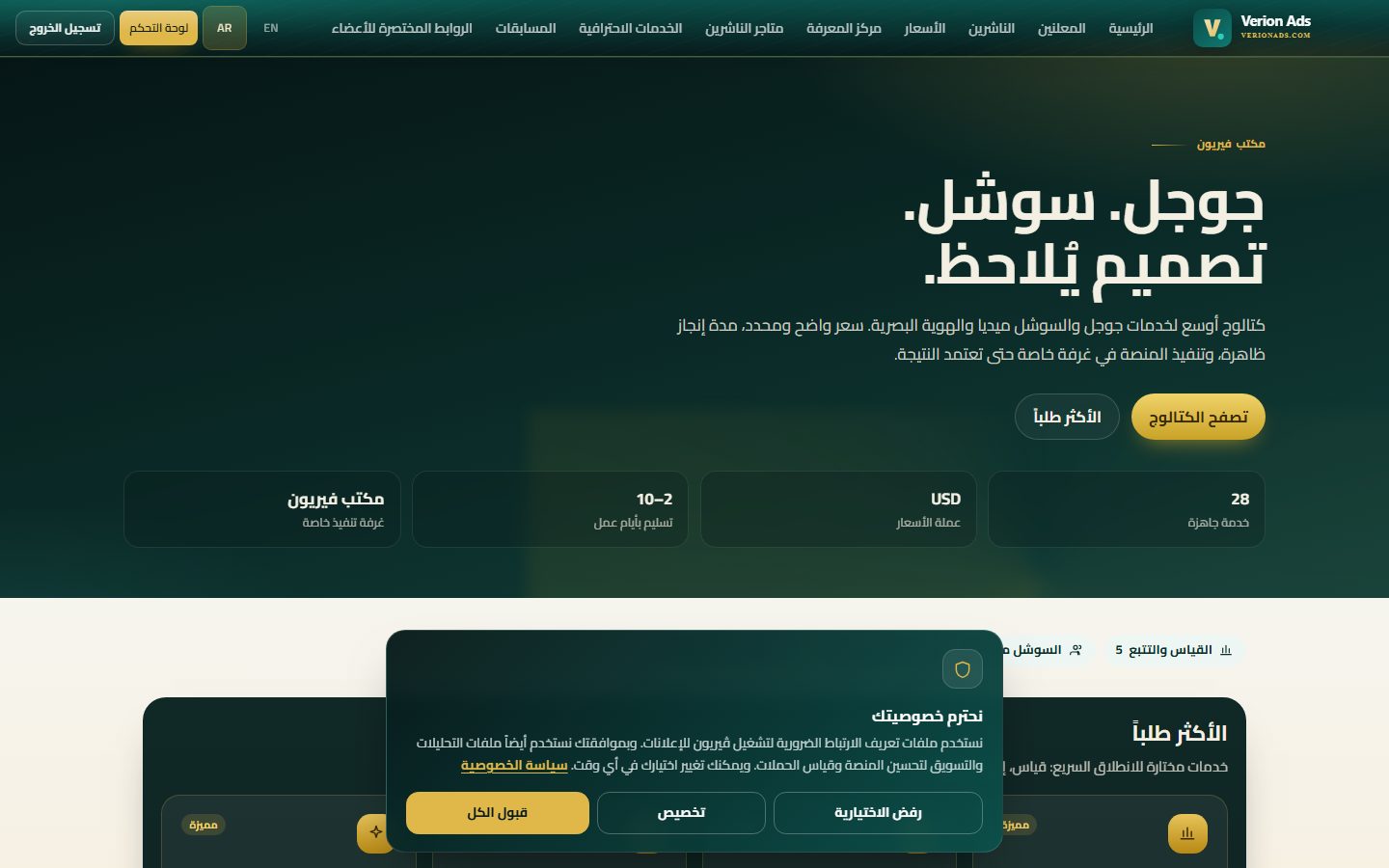
Verion Studio is a catalog of services the platform team delivers for you: ad account setup on Google, Meta, TikTok, Snapchat and more, conversion tracking, brand identity, landing pages and Arabic/English ad copy. Each service has a fixed price, a delivery time in business days and a list of what you get.
Step-by-step
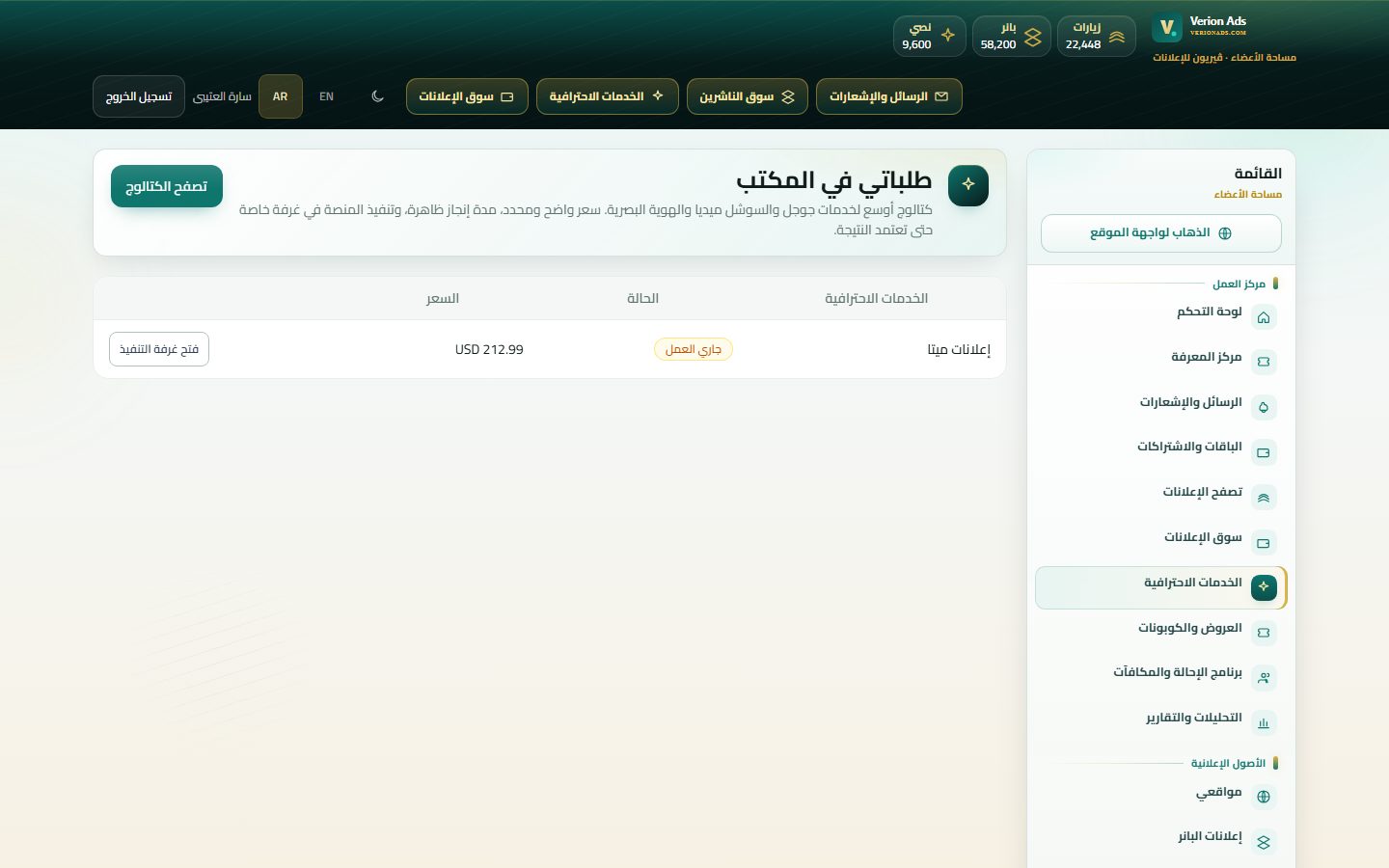
- Open Professional services from the menu and press Browse catalog, or open /studio.
- Pick a service and read What you get, Delivery time and the price.
- Press Request this service and write a short brief: your site, your goal and anything we need.
- Press Continue to payment and pay as for any package. Work starts after payment is confirmed.
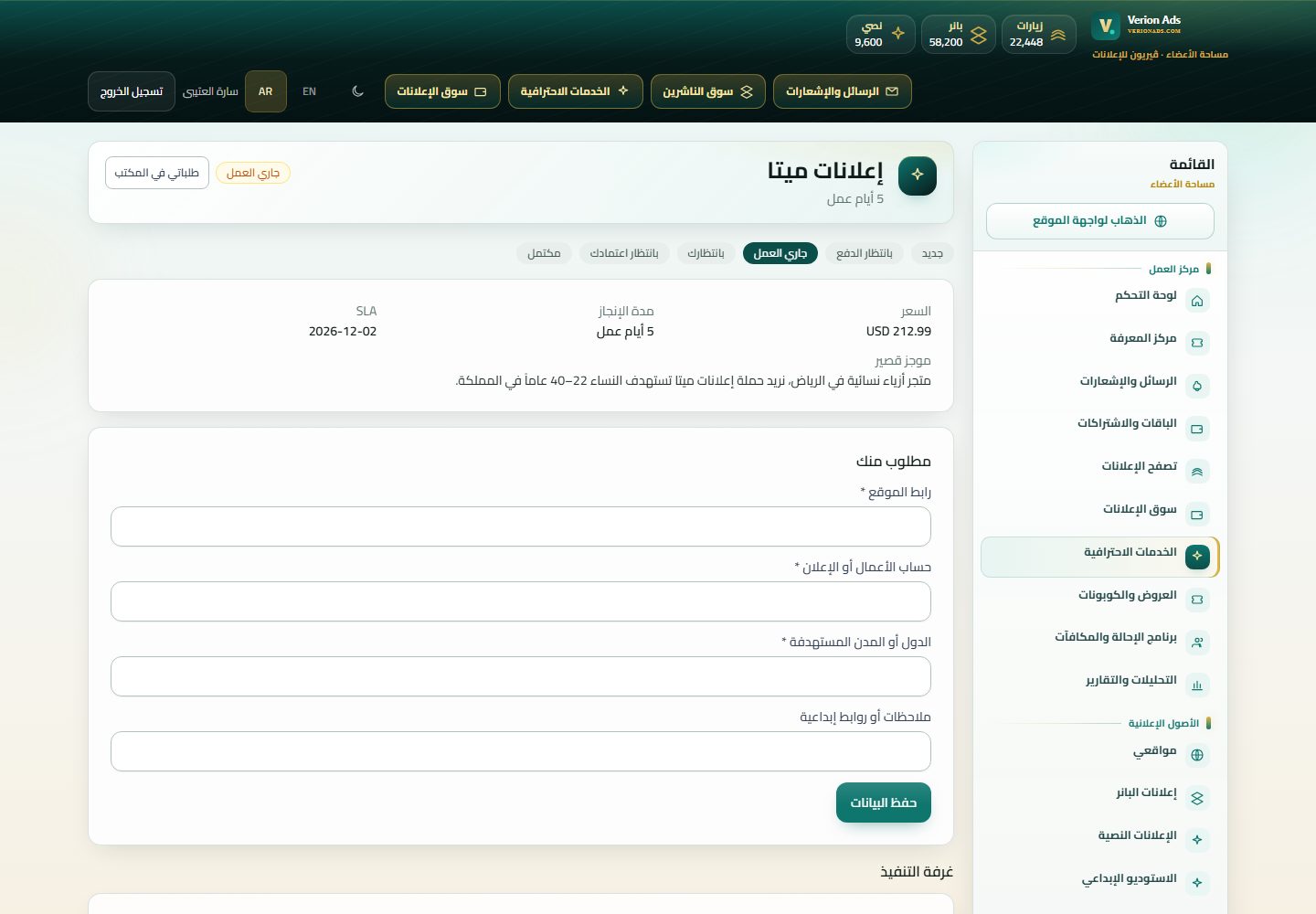
- After payment the delivery room opens. Fill in the “Required from you” fields (site link, ad account, etc.) and press Save.
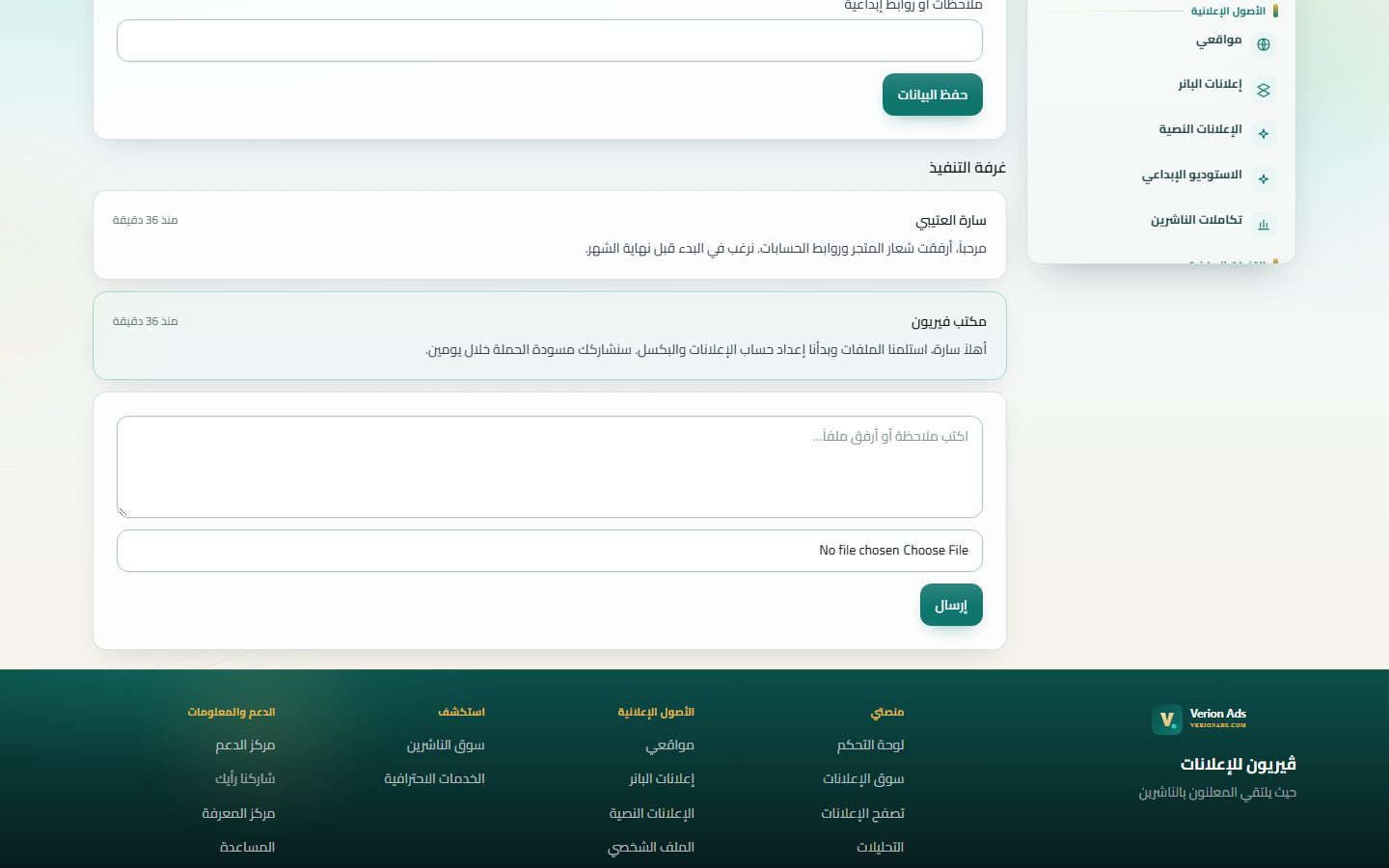
- Talk to the team in the delivery room and attach an image or PDF when needed.
- When the status is Awaiting your approval, review the delivery and press Accept & close with a rating and a short comment.
Screen options explained
- New: the request exists but is not paid yet.
- Awaiting payment: pay to open the delivery room.
- In progress: the team is working; the SLA date shows the expected delivery.
- Waiting for you: the team needs information or a reply from you.
- Awaiting your approval: the delivery is ready for your review.
- Completed / Cancelled: the request is closed.
Best practices
- Write a specific brief (audience, city, rough budget) to cut questions and speed up delivery.
- Fill in the “Required from you” fields right after paying — “Waiting for you” pauses the work until you reply.
FAQ
Can I cancel a request?
Yes, before payment only (status New or Awaiting payment). After paying, contact support.
What currency are services priced in?
US dollars, like Ad Marketplace packages.
Was this helpful?