
Quick summary (30 sec)
When money from your order is refunded you get a notice, and the invoice shows Refunded and Net paid lines. Refunds can be full or partial, and the order’s credits may be adjusted in proportion.
What is it?
A refund returns money you paid on a paid order, in full or in part. The Verion team issues it after reviewing your request, and it shows clearly on your invoice and in Recent Purchases.
How it works in Verion
If you paid by card or PayPal, the money goes back through the same provider to your original method; how long it takes to appear on your statement depends on your bank or PayPal. If you paid by bank or wallet transfer, the money is returned manually and recorded on the platform. A partial refund keeps the order Paid with the refunded amount; a full refund changes the order status to Refunded and its invoice stays available.
Step-by-step
- To ask for a refund, open a support ticket with the order number and the reason.
- Once the refund is issued you receive an email and in-app notice with the amount and the total refunded so far.
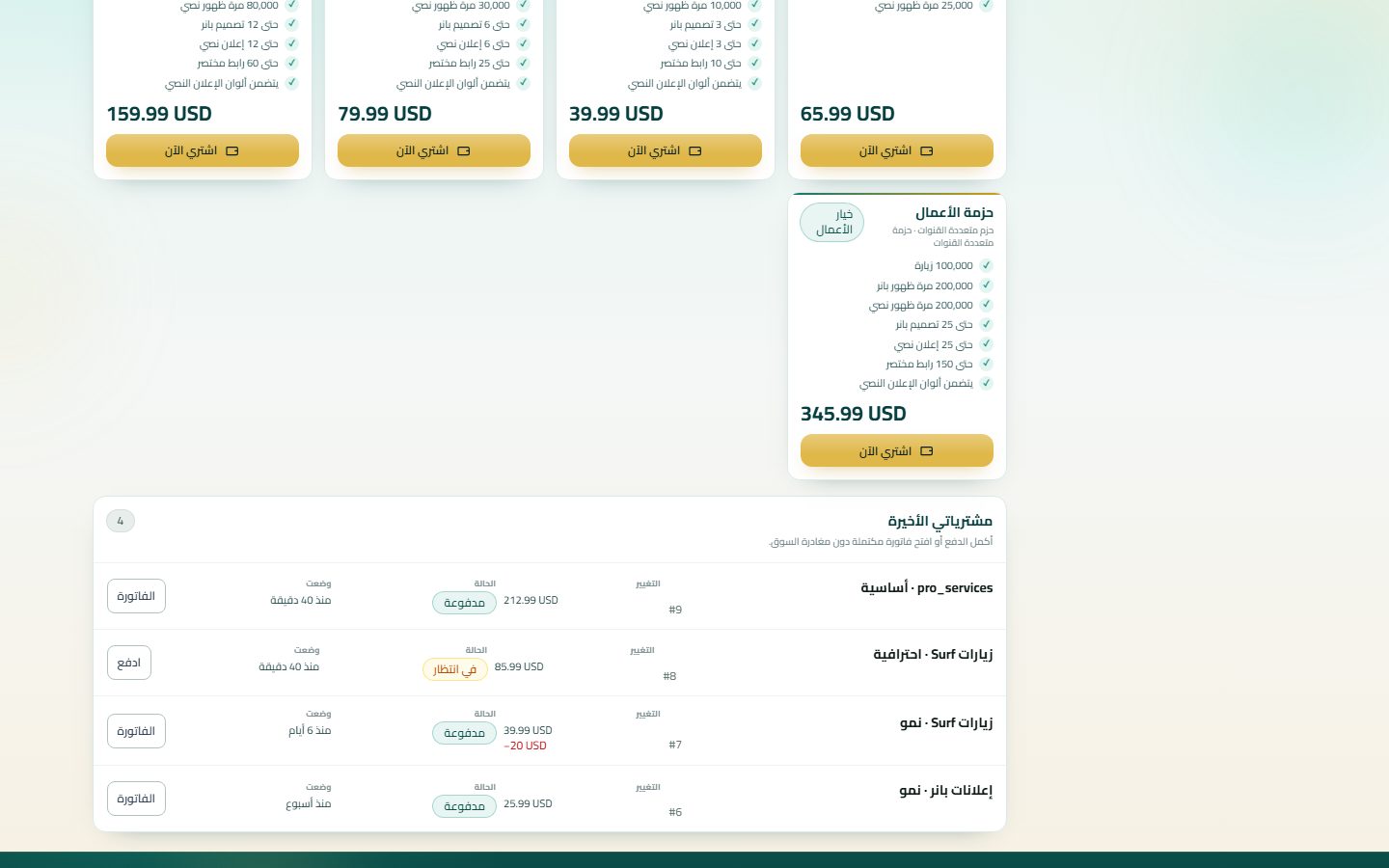
- Open the Ad Marketplace, then Recent Purchases, to see the refunded amount next to the order.
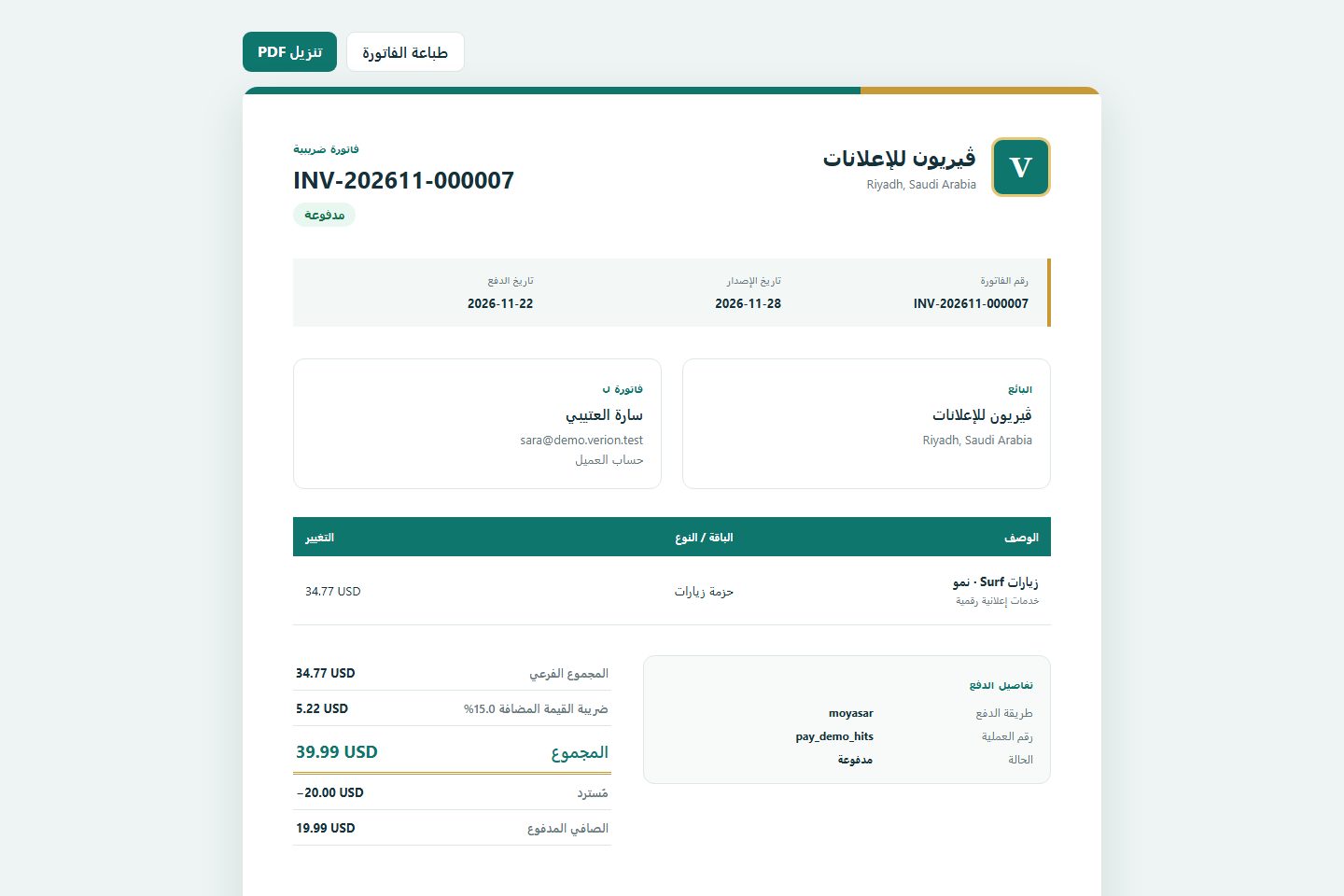
- Press Invoice or View invoice: under the Total you will see a negative Refunded line, then Net paid.
- Check your wallet: if the order’s credits were adjusted, the movement appears in your credit history.
Screen options explained
- Total: what you originally paid for the order.
- Refunded: everything returned to you from this order (it can be more than one refund).
- Net paid: the total minus the refunds — what you finally paid.
FAQ
What happens to the credits the order gave me?
The team may take back the order’s credits in proportion to the refund (refunding half the amount takes back half the credits). Your balance never goes below zero; what you spent before the refund is recorded as used.
What about a plan subscription or a studio request?
A full refund may cancel the plan subscription tied to the order, or a studio request that is not finished yet.
I paid with a coupon — how much can be refunded?
At most what you actually paid after the discount.
I bought inside the mobile app
In-app purchases are refunded by the store you paid through (App Store or Google Play). See the mobile app lesson.
Troubleshooting
I got the notice but the money is not in my bank yet
Card refunds go through your bank and can take several business days. If it takes long, contact support and ask for the refund reference.
I do not see the Refunded line on the invoice
Refresh the page. The line appears only after the refund is completed, and not if the payment gateway declined it.
Was this helpful?