
Quick summary (30 sec)
Web Push — FAQ — feature-specific Verion guide.
What is it?
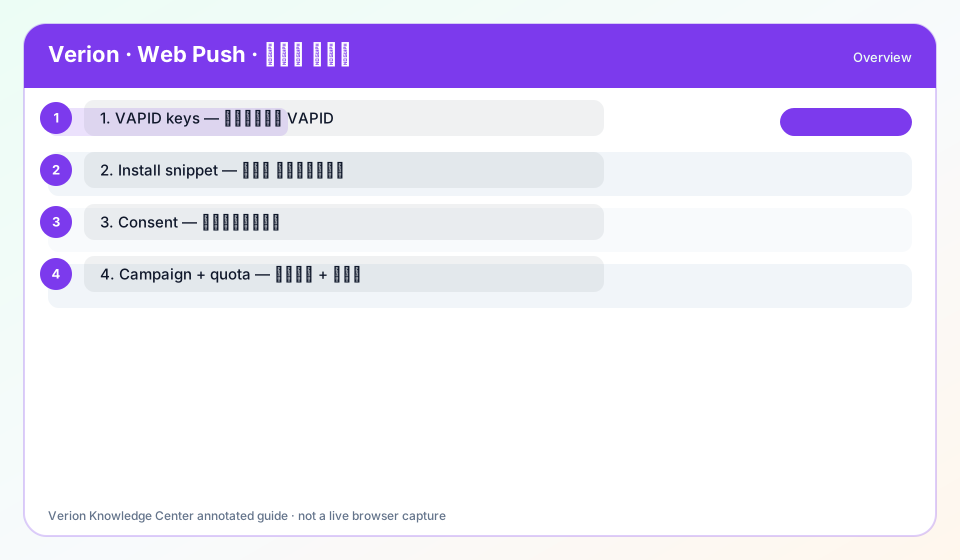
Web Push — FAQ: Browser push with VAPID, install snippet, consented subscribers, then campaigns (title, message, destination, quota). Fields focus: VAPID keys, site snippet, campaign title/message/URL, send quota under daily cap.
Why use it?
Use for FAQ on Web Push inside Verion member UI.
When to use — and when not
- Task matches Web Push / FAQ
- Plugin for web_push enabled when gated
How it works in Verion
Never message without consent; configure VAPID with operator if unavailable; respect caps. Segment quietly; test one site first; watch opt-out rates.
Requirements
- Access to Web Push
- Related credit wallet if spending
Who it is for
- Verion members using this feature
Step-by-step
- Open Web Push from the member menu (use ? help on the page).
- Complete FAQ using real controls: VAPID keys, site snippet, campaign title/message/URL, send quota under daily cap.
- Validate results in feature stats / Analytics.
- If blocked, ticket with feature key web_push — do not invent settings.
Best practices
- Segment quietly; test one site first; watch opt-out rates.
- Prefer documented Verion flows only
Common mistakes
- Skipping prerequisites
- Spam / self-fraud patterns
FAQ
Where is Web Push?
Member navigation item for Web Push; requires plugin when gated.
Key fields?
VAPID keys, site snippet, campaign title/message/URL, send quota under daily cap
Troubleshooting
Zero delivery / no reward
Check credits, approval, consent/eligibility, then Support with key web_push.
Menu missing
Ask operator to enable the web_push plugin.
Was this helpful?